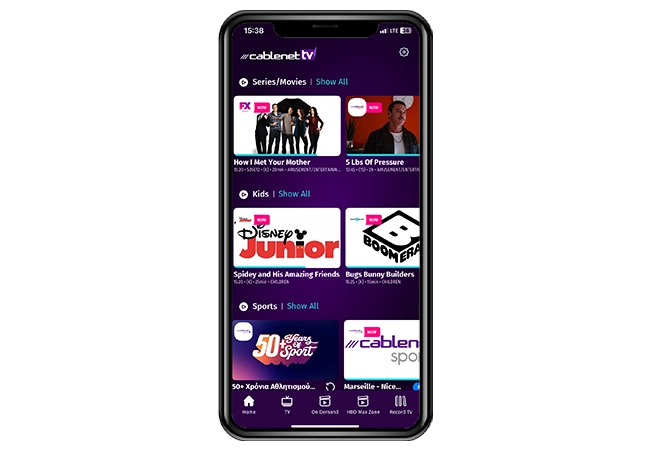



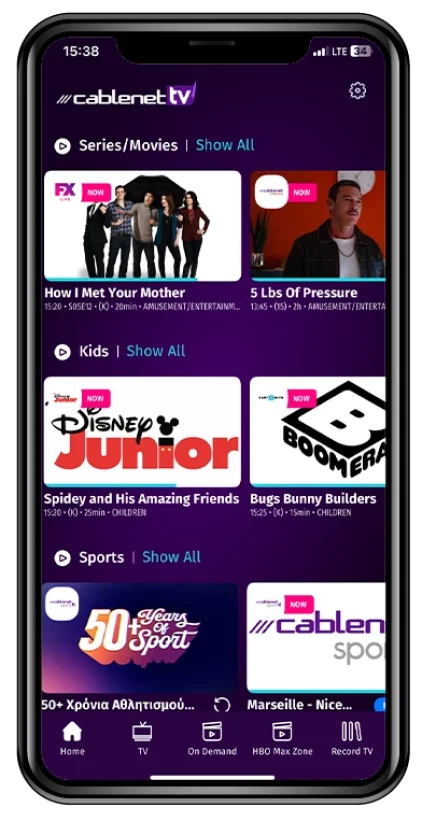
The Cablenet TV GO service allows the Subscribers to access live TV and other on demand content while on the go.
You can download the Cablenet TV GO app by visiting the Apple Store or Google Play or via browser.
The TV GO service is available to all Cablenet Subscribers who are subscribed to a commercially available package which includes the Cablenet TV service and have at least one registered Cablenet Decoder.
The user may be subject to mobile data usage charges when on the go that may apply from their mobile service operator and the specific mobile plan. The user can avoid such mobile data charges when using the Cablenet TV GO service via browser over free WiFi.
The user must install the TV GO app and then use the username and password provided by Cablenet via SMS (to the registered mobile number) on the login page and accept the Special Terms for TV services.
Subscribers can register up to three (3) of their own devices (smart phones/tablets/browser). However, every additional TV point (decoder) the Subscriber registers will respectively decrease the number of available personal devices the Subscriber can add.
You can currently register smartphones and tablets (Android and iOS) with the Cablenet TV GO app. The use of PCs and Laptops is available through browser (Safari, Google, Firedox). The use of Smart TVs is currently unavailable.
Subscribers of TV Starter Pack can watch content on one (1) smartphone, tablet or browser at the same time. Subscribers of TV Pass add-ons can watch content on two (2) smartphones, tablets or browsers simultaneously.
The user will only need to sign-in once, during the registration of the Cablenet TV GO service. After the first sign-in, the Subscriber will have access to the Cablenet TV GO service just by launching it on their device.
The channels that are available on the Cablenet TV GO service can be found by clicking here. The number of channels available on the Cablenet TV GO service may change over time, due to Content Provider rights.
The Cablenet TV GO service can also be used while in any EU country, however, it is not accessible from any overseas location outside the EU. For more information about the roaming terms and conditions of the Cablenet TV GO app, please see the term 21, by clicking here (Special Terms for Services – TV Services).
Yes, the Cablenet TV GO service can also be used over any other network in Cyprus.
The Cablenet TV GO service is available to subscribers of Cablenet TV. To use Cablenet TV GO, download the Cablenet TV GO app from the Apple Store or Google Play, or access it via your browser. Then, log in using the username and password that Cablenet will send you via SMS. Please note that the number of registered devices and simultaneous viewing points per account is limited and depends on your TV plan. You can register up to three (3) personal devices (smartphone, tablet, or browser).
To change your Cablenet TV GO password, you can call 130 for immediate assistance, or you can submit your request electronically at https://tvgo-pass.cablenet.com.cy/forgot
Simultaneous viewing is permitted on 1 TV set and 1 phone. You are permitted an additional device if you are TV Pass subscriber.
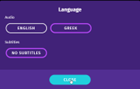
Press the dedicated language or options button on your remote control.
The on-screen menu will appear, where you can select your preferred audio and subtitle language.
Download the  app and enjoy
exclusive benefits from Cablenet!